CUPS Said Completed. My Printer Had Produced One of Five Images.
I sent five PNG images to my Samsung SL-J1780W. One sheet came out.
The local print queue was empty, and CUPS listed the job as completed. I’d have called that finished if the missing four sheets hadn’t made the result impossible to ignore.
On October 23, I checked the printer’s own job history. It said something different: aborted, document-format-error, and one completed sheet. My computer’s completion record wasn’t the evidence I needed.
Two systems had two different answers
I had submitted all five images as one print job. That detail mattered more than the empty queue.
| Evidence from the incident | Recorded result |
|---|---|
| Images requested | 5 PNG files in one job |
| Sheets produced before the failure | 1 |
| Local CUPS history | Job in the completed list |
| Printer job state | aborted |
| Printer job reason | document-format-error |
| Printer sheet count | job-media-sheets-completed=1 |
| Printer capability | multiple-document-jobs-supported=false |
These are observations from that incident, not a fresh printing test today. The computer and printer assigned different job IDs. I matched the records by the submitted job, rather than assuming both IDs should agree.
I don’t know the exact internal path that turned this submission into a format error. The capability response and the successful recovery support a narrower diagnosis: bundling these files into one job wasn’t compatible with this setup. That’s enough to change how I submit them. It isn’t enough to declare the entire spooler broken.
Paper wasn’t the explanation in the recorded state
Missing pages made paper supply an obvious thing to check. I checked it before treating it as the cause.
The printer reported printer-state-reasons=none, with A4 media ready. There wasn’t a paper-empty warning in that response. I didn’t invent one to explain the missing sheets.
That distinction matters because recovery depends on the failure. A paper problem and a rejected document don’t call for the same next action. Restarting everything would’ve erased useful context without answering either question.
I asked the device, not just the queue
My diagnostic sequence now starts with the selected destination. A default printer isn’t necessarily the printer I intended to use.
lpstat -v shows configured destinations and their device URIs. The CUPS ipptool manual describes how to query an IPP endpoint using a test file. I used the installed get-printer-attributes.test and get-completed-jobs.test files against the printer’s own endpoint.
I don’t publish that endpoint here; it identifies a device on my private network. For another setup, the important distinction is whether the URI reaches the printer itself or another queue server.
The attributes I needed were small enough to keep on one checklist:
multiple-document-jobs-supported: whether the endpoint advertises multiple documents within one job.job-stateandjob-state-reasons: the result of the specific device job.job-media-sheets-completed: the device’s sheet count, compared with my request.printer-state-reasonsandmedia-ready: the current device condition and media report.
A completed-jobs listing isn’t itself a success verdict. My aborted job appeared in device history too. I had to read the state inside the record.
Four recovery jobs, not another five-image batch
I knew which image had already printed, so I left that one alone. I submitted the remaining four images as four separate jobs.
Each device job then reported completed, no job error reason, and one completed sheet. The local queue was empty afterward as well. This time the queue and device evidence agreed about the four missing sheets.
| Submission | Jobs | Device result |
|---|---|---|
| Original five-image bundle | 1 | Aborted after 1 sheet |
| Recovery: one missing image per job | 4 | Each completed with 1 sheet |
I didn’t change firmware, reinstall the printer, or rewrite a spooler. The recovery was an operational change in how I submitted files. It also avoided printing the first image twice.
Don’t retry a batch before finding its boundary
I don’t use an empty queue as proof that every requested sheet exists anymore. I also don’t retry all five files simply because the original job failed.
First I match the device records to the request. Then I separate completed output from missing output. If that evidence is unavailable, I need someone to check the physical stack before I resend anything.
Device counters still don’t prove that the ink looks good or the image is correctly positioned. Those need a physical check. But a device reporting one sheet is already enough to reject a claim that five sheets completed.
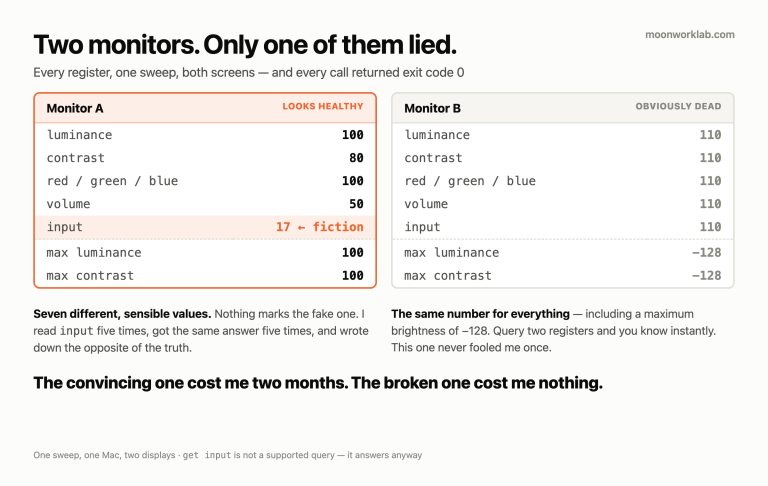
This is the same trap I ran into with five stable readings from an unsupported monitor query. A reassuring response isn’t useful until I know what it actually confirms.
I hadn’t lost the images. I’d lost four outputs between two different meanings of “completed.” Now I check the meaning at the device that has to produce the result.