I Drive Claude Code From My Phone. One Night It Restarted Its Own Daemon 105 Times.
My coding sessions run on a machine at home, and I’m away from that machine far more than I’m sitting in front of it. So I built a way to keep typing into those same sessions from my phone. Moonlight does this for game screens. I did it for text.
The most expensive thing that happened afterwards wasn’t performance, and it wasn’t security. A session running through the bridge restarted the bridge daemon itself. It cut the exact channel its own commands were travelling through. Nothing came back, so it restarted again, and cut itself off again. The daemon restarted 105 times that night, and every connection I had open — phone and desktop alike — died with a network error.
I never asked for any of that. The session decided it on its own, and that’s my design flaw.
What I actually built
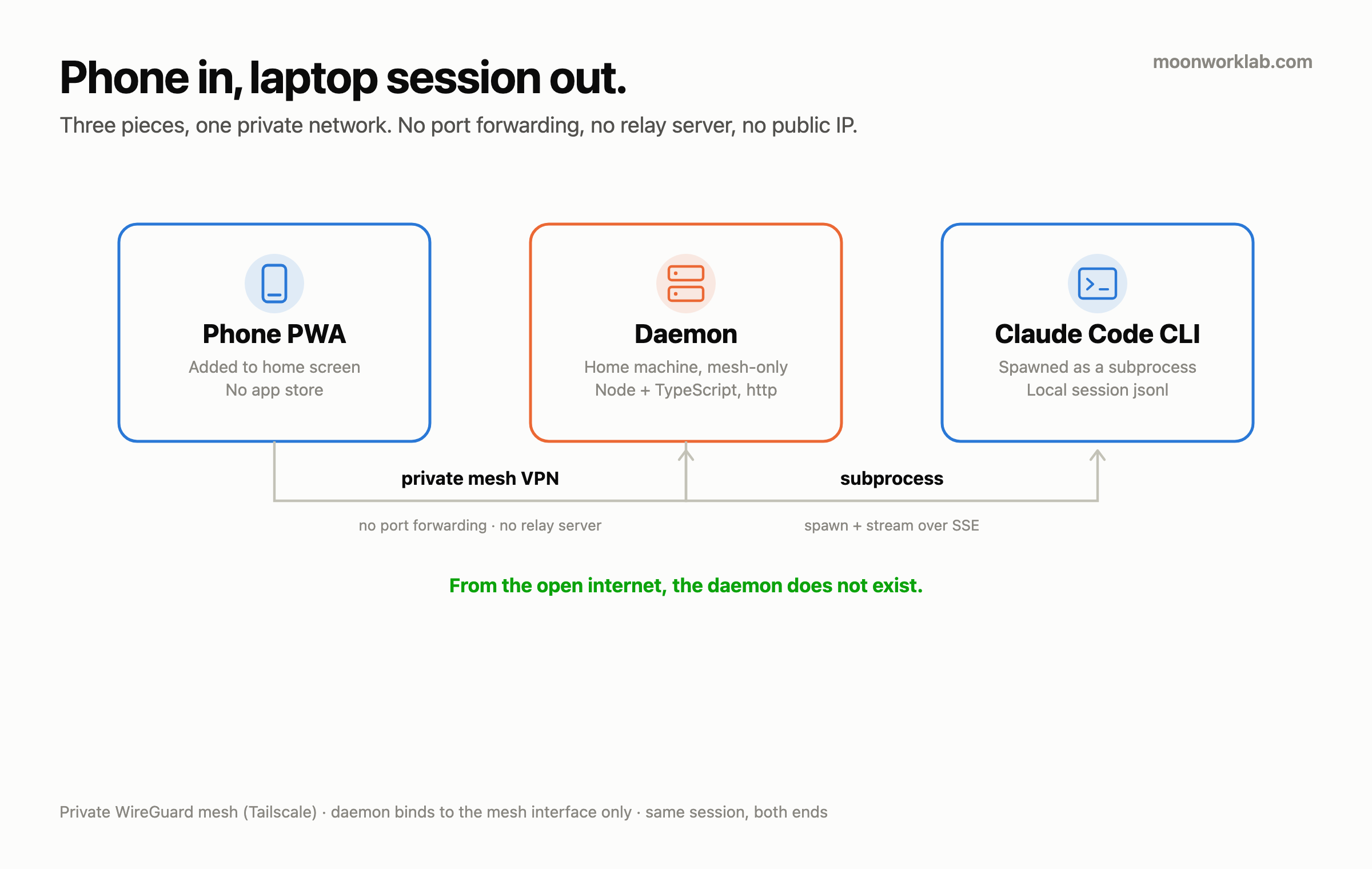
Three pieces, and that’s the whole thing.
- Transport is a private WireGuard mesh (Tailscale). No port forwarding, no public IP exposed, no relay server in the middle. The daemon binds to the mesh interface only, and drops to loopback when there isn’t one. From the open internet, this daemon doesn’t exist.
- The daemon is Node and TypeScript on the standard
httpmodule. No framework. It does three jobs — authenticate, spawn theclaudeCLI as a child process, and stream that output back over SSE. - The client is a PWA. No app store involved. Add it to the home screen and that’s the app.
- It ships no model. I built the bridge and nothing else — everyone brings their own model. That’s the concept, and it’s the only shape that holds up under the licence terms.
The UX is copied from Moonlight’s four steps, one for one.
| Step | Moonlight | Mine |
|---|---|---|
| 1. Pair | Type a PIN on the host | One PIN per device, then a long-lived token |
| 2. List | Grid of games | Grid of sessions and apps |
| 3. Enter | Launch the game | Pick a session, land in the chat |
| 4. Mirror | Streams screen pixels | Both ends see the same conversation |
Step 4 is the entire project. A prompt I type on the phone doesn’t open some fresh chatbot conversation — it lands in the session I was already using at my desk. I come home, look at the monitor, and what I typed on the phone is sitting right there.
The part I feared was already solved
At planning time I named exactly one risk that could kill this project: capturing the output of a live interactive session. Scrape the screen through tmux pipe-pane? Tap the PTY? I spent days on that question.
None of it was needed. Claude Code writes every session to a local jsonl file, and --resume <id> continues the same one. So there was nothing to intercept. I read the same file. The daemon pulls the session ID out of the first turn’s response and keeps the mapping, then attaches with --resume on every turn after that. When the phone reconnects, it parses that jsonl and rebuilds the conversation whole.
I never wrote a line of PTY capture code.
One thing did block me. --resume only works from the directory the session started in. Call it from anywhere else and the session isn’t found. The original cwd is stamped into the jsonl lines, so pulling it out and handing it to the child process as its working directory ended the problem. Without that one line, mirroring wouldn’t have worked at all.
What actually cost me
The tool cut its own cable
This is the 105-restart night from the top of the post. The cause is simple. A session running through the bridge had the ability to restart the daemon, and from inside that session, “restart to pick up the config change” is a correct decision. What the session can’t know is that its own input and output travel through that exact daemon.
It’s a rule now. Redeploys happen only from a path that doesn’t go through the daemon, which means a separate terminal. If I build another remote control tool, that rule goes in on day one instead of after the fact.
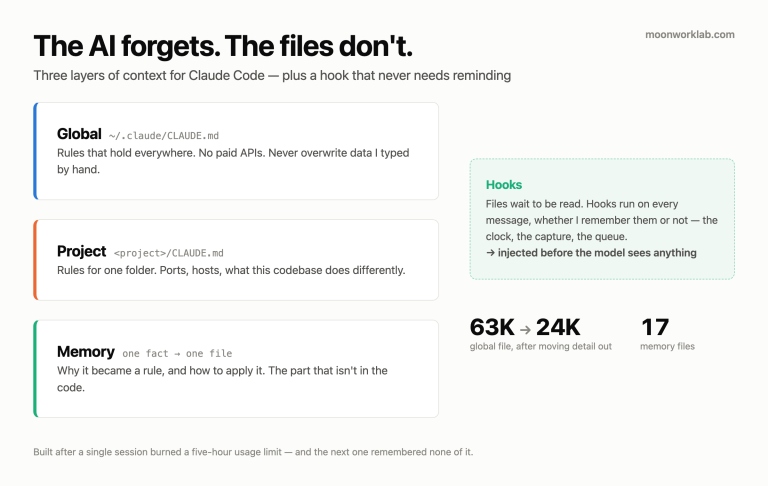
The rule lives in my global memory file, part of the system I wrote about here: every rule carries the incident that produced it and what that incident cost. This one carries a number. 105.
A leading hyphen killed whole conversations
Send a message from the phone that starts with a list marker — “- fix the home screen” — and the entire conversation failed. The CLI read it as an unknown option rather than a prompt. I had dropped the prompt into the middle of the argument array, and that was the whole bug.
// what I had
const args = ['-p', prompt, '--output-format', 'stream-json'];

// what I changed it to — stack every option, then end parsing with `--`
args.push('--', prompt);
Every project that wraps a CLI in a subprocess steps on this mine eventually. And it only shows up on the phone. I don’t start desktop sentences with a hyphen, but on a phone that’s exactly how I type a list.
The Enter key regressed three times
On a physical keyboard, Enter has to send. On a phone’s soft keyboard, Enter has to insert a newline. So the code has to work out which keyboard is attached, and I got that wrong twice in a row. Reading the keycode of a character key doesn’t work, because a phone’s soft keyboard sends perfectly ordinary keycodes too. Type a letter on the phone, get classified as a physical keyboard, and Enter sends the message instead of breaking the line. Judging by viewport height alone doesn’t work either. Rotate the screen and it’s wrong again.
Three things overlap now. First, a latch that confirms a physical keyboard only from signals a soft keyboard never sends: modifier keys, arrow keys, key repeat. Second, viewport height as a fallback and nothing more. Third, a manual per-device toggle for when the first two are still wrong. The third one is what fixed it. The bug stopped once I admitted the detection can be wrong and gave it an exit.
Five patches, then I deleted the structure
I built a swipe UI: push a row in the session list sideways and actions appear underneath. Two stacked layers, a visible front panel covering hidden actions. The star icon ended up buried under those actions. Background colours drifted apart between themes. Every time the action count changed, the offsets broke somewhere new.
I fixed it five times and it came back five times. The cause was never a value, it was the structure. So I ripped the swipe out entirely and replaced it with an ordinary row where the star and an overflow button are always visible. That whole family of bugs ended the same day. Five patches cost me the entire component in the end.
No error was ever thrown across those five rounds. The layout was simply wrong, which puts it in the same family as a threshold bug I hit in a different project: no crash, no warning, just quietly incorrect.
A few numbers
Using this from the phone surfaced things I had never noticed on the desktop.
| Before | After | |
|---|---|---|
| Session list load (warm) | 100 ms | 63 ms |
| Conversation restore (warm) | 23 ms | 17 ms |
| Sessions shown in the list | all 264 | 11 (after curation) |
| Runtime session records | 238 | 20 (after dedupe) |
- Transcripts had grown to between 7 and 19MB. Opening a single conversation meant parsing 19MB end to end. I changed it to read the file backwards and build only the last N turns. There’s a limit to how far anyone scrolls on a phone anyway.
- Drawing the list once read three files per session. It reads one now.
- 264 down to 11. Showing every raw session made the list unusable. I kept only sessions above a message count that also started interactively, because headless automated calls were filling the rest of it.
- Every figure above is warm. I didn’t measure cold start, so I have nothing to say about it.
Auth is boring, and it should be
Two layers.
- Network. The daemon listens on the private mesh interface only. Outside the mesh there’s nothing to port scan.
- Application. One PIN pairing per device, which issues a per-device token. Every request after that authenticates with that token.
The mesh is already there, so why bother with a token? Because not every device on my mesh is my phone. When one layer goes, something has to be left standing.
Plaintext logging of prompt bodies is off by default. What gets kept is the timestamp, the model and request metadata. A remote tool is the one I use to type anything from anywhere. Let those logs pile up and they become the most dangerous file I own.
Don’t do these
- Don’t let a remote control tool restart itself. Any command that kills the daemon has to run on a path that doesn’t go through the daemon. I wrote that rule down after 105 restarts, not before.
- Don’t drop user input into the middle of an argument array. Push it after
--instead. Otherwise a message starting with a hyphen gets read as an option, and that bug only fires from a phone. - Don’t detect a physical keyboard from character keycodes. A phone’s soft keyboard sends the same keycodes. I built this wrong twice.
- Don’t rely on automatic detection without an exit. The regressions stopped only after I added a manual per-device override.
- Don’t leave a service worker on cache-first. The phone kept serving the old app after every deploy. Network-first fixed it.
- Don’t patch the same UI bug more than three times. Past three, suspect the structure rather than the values. I went five before I deleted mine.
- Don’t show every session in the list. Put 264 rows in front of someone and they read none of them.
Honest limits
- It’s turn-based. Two people writing into one session at the same time is not something this handles. Alternating between phone and desktop works; typing at once was never designed for.
- No notification when a long turn finishes. If an answer takes a while, I have to open the app and look. That’s a large hole in a remote tool, and I haven’t built it yet.
- iOS pins the state from the moment the PWA was added to the home screen. The layout looked broken and I dug through code for ages, and the cause wasn’t code. Deleting the PWA and re-adding it ended it. Build a remote app as a PWA and this trap is waiting.
- The native iOS app is code that has never been built. The machines here don’t have a full Xcode toolchain. Android is close enough as an installable PWA, so it wasn’t urgent.
- This post is half useless without a private mesh VPN. I never built it on another transport. Running my own relay server is a path I neither implemented nor measured.
- I didn’t measure battery or mobile data use. The design holds an SSE connection open for long stretches, so I’m curious, and without numbers I’m saying nothing.
- The devices are my phone and my tablet. This is not verified across a range of hardware, and the Enter key mess above is the evidence.
So is this worth building?
- Not worth it if the phone job is checking the result of something already running. An SSH client app covers that completely, and there’s no reason to build any of this.
- Worth it if a private mesh VPN is already running and continuing the session from the desk matters. Opening a new conversation and continuing an existing one are different products. I built this for the second one, and once that’s the only requirement, the daemon is small.
- The requirement is one always-on machine. Buying one isn’t part of it. I put this on a box that was already running 24/7 for other reasons. Extra spend: zero.
Closing
The longest lesson from building a remote tool wasn’t protocol design, and it wasn’t auth. It was that a tool I built can break the floor it stands on. The daemon restarted exactly as it was told that night, 105 times.