Does CUDA Beat VRAM? I Ran the Same 30B Model on a 2080 Ti and an RX 9070 XT
In my last post I ran Qwen3-Coder 30B on an AMD RX 9070 XT. That left one question open.
For local LLM work, what matters more — mature CUDA, or more VRAM?
I happened to have the setup to test it. My second machine has an RTX 2080 Ti in it. A 2018 card. CUDA on it is about as mature as CUDA gets, but it’s 5GB short on memory.
Same model, same build, same test. The result split down the middle.
Why this comparison is cleaner than most
By luck, the two machines are near-identical apart from the GPU.
| Machine A | Machine B | |
|---|---|---|
| GPU | RX 9070 XT 16GB (RDNA4, 2025) | RTX 2080 Ti 11GB (Turing, 2018) |
| Usable VRAM | 15.4GB | 10.1GB |
| Backend | llama.cpp Vulkan | llama.cpp CUDA 12.4 |
| CPU | Ryzen 7 5700X3D | Ryzen 7 5700X |
| RAM | 32GB | 32GB |
| llama.cpp build | b9587 | b9587 |
| Model | Qwen3-Coder-30B-A3B UD-Q4_K_XL (16.45GB) — same file | |
| Test | llama-bench -ngl 99 -p 256 -n 64 |
|
The matching CPUs matter more than you’d think. MoE models push expert tensors out to system RAM, so CPU performance moves the numbers a lot. Here that variable is mostly controlled.
This isn’t a perfectly controlled experiment, and I’d rather say so up front. The backends differ (Vulkan vs CUDA), and the 5700X3D has 3D V-Cache the 5700X doesn’t. Read it as two realistic PCs compared, not two GPUs isolated in a lab. That’s also the situation most people are actually in.
Result 1: same settings, head to head
Starting with both cards at --n-cpu-moe 48:
| n-cpu-moe = 48 | Prompt processing (pp256) | Generation (tg64) |
|---|---|---|
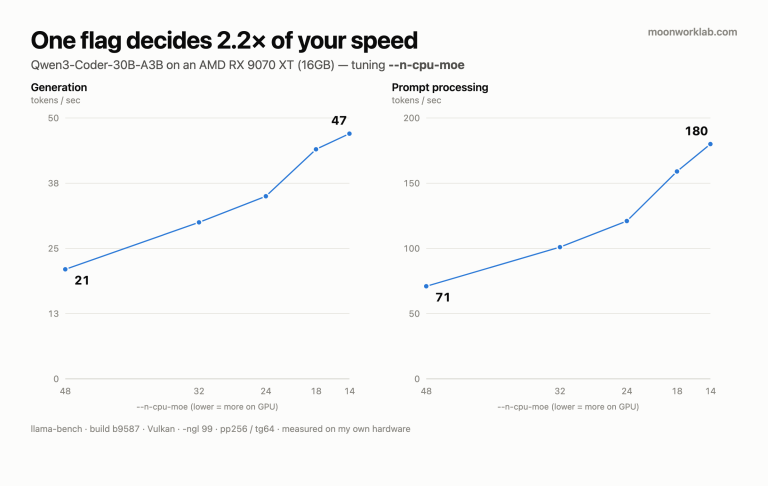
| RX 9070 XT | 71.26 | 21.15 |
| RTX 2080 Ti | 173.09 | 19.62 |
The seven-year-old card processes prompts 2.4× faster. Generation goes the other way, narrowly, to the newer card.
That’s already interesting. The two metrics point in opposite directions.
Result 2: each card at its own best
To be fair, each card needs tuning to its optimum. So I swept --n-cpu-moe on both.
RTX 2080 Ti, full sweep
--n-cpu-moe |
pp256 | tg64 |
|---|---|---|
| 48 | 173.09 | 19.62 |
| 42 | 195.80 | 22.91 |
| 36 | 228.05 | 25.31 |
| 32 | 252.76 | 27.51 |
| 28 | 295.38 | 31.15 |
| 26 | 309.53 | 33.09 |
| 24 | 325.55 | 33.07 |
| 22 | 342.69 | 35.97 |
| 20 | 324.49 | 36.71 |
| 18 | 128.11 | 36.88 |
| 16 | 129.17 | 31.98 |
| 14 | 132.73 | 28.87 |
| 12 | 136.31 | 25.78 |
Ignore the cliff below 18 for a moment — that gets its own section. The optimum sits at 20–22.
Final matchup, each at its best setting
| Prompt processing | Generation | |
|---|---|---|
RX 9070 XT (Vulkan) n-cpu-moe=14 |
179.71 | 47.42 |
RTX 2080 Ti (CUDA) n-cpu-moe=22 |
342.69 | 35.97 |
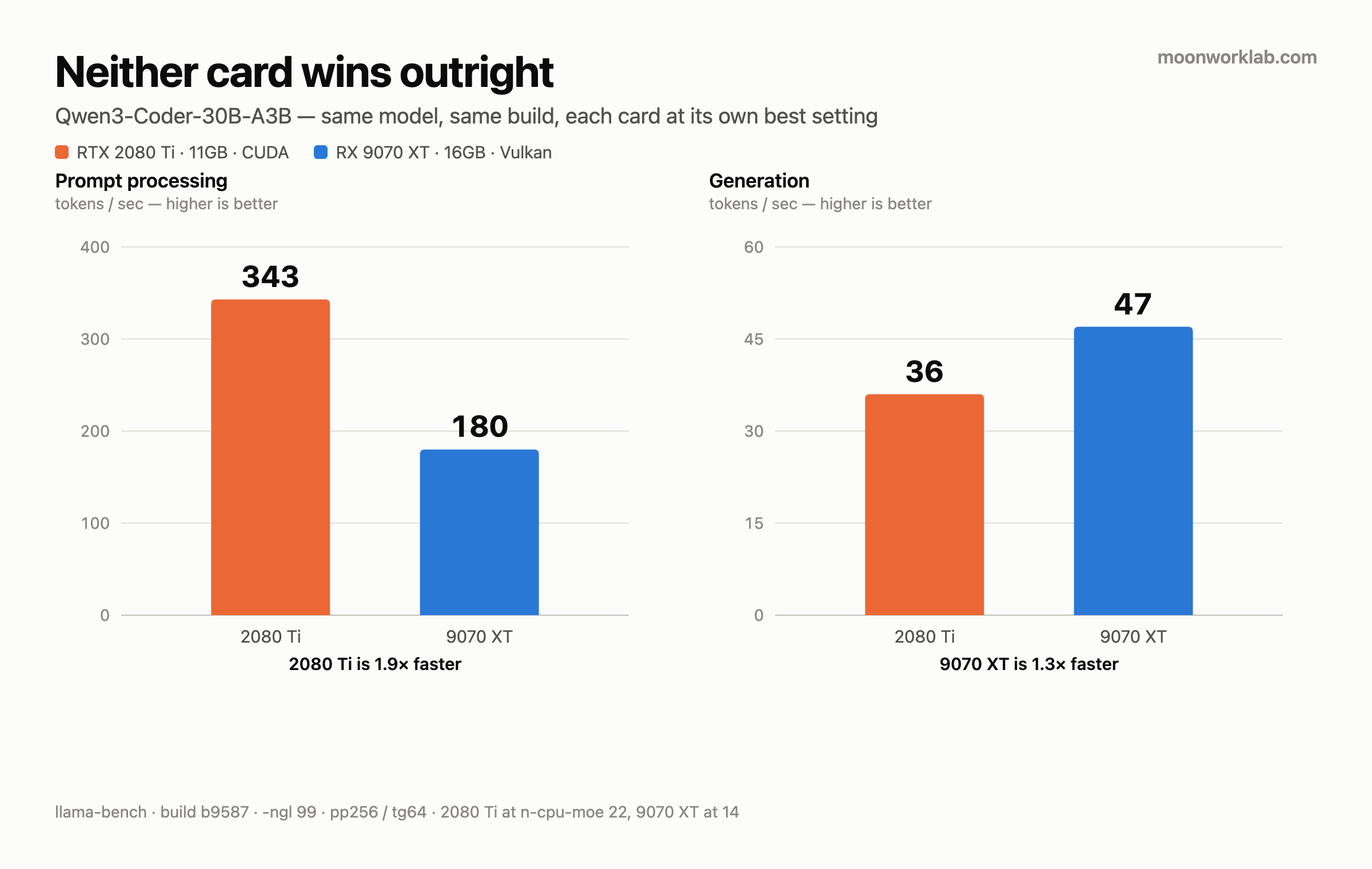
| Gap | 2080 Ti, 1.9× | 9070 XT, 1.3× |
The result splits. Neither card wins outright.
Why the split? (my read)
I measured the numbers, not the cause, so treat this as interpretation rather than fact. The most plausible explanation is that the two metrics stress different things.
- Prompt processing is large batched matrix math. It’s compute-bound, and kernel optimization shows up directly in the result. That’s the ground CUDA has been refining for years.
- Token generation reads weights one step at a time. Memory access dominates, not arithmetic. What matters is how much of the model is on the GPU — which is a VRAM capacity question.
Roughly:
CUDA maturity wins the prompt. VRAM capacity wins the generation.
Result 3: I also found a trap
Something turned up mid-sweep that I wasn’t looking for.
On the AMD card, pushing --n-cpu-moe below 14 kills it. Out of memory, clean error, unambiguous. Cross the limit and it tells you.
The NVIDIA card never died. Dropping from 20 to 18 produced this instead:
| pp256 | tg64 | |
|---|---|---|
| n-cpu-moe = 20 | 324.49 | 36.71 |
| n-cpu-moe = 18 | 128.11 | 36.88 |
Prompt processing fell 2.5×. No error, no warning, nothing.
I only found this because my first sweep stopped at 20 and never hit an out-of-memory error. That bothered me — an 11GB card running a 16.45GB model should die somewhere. So I extended the sweep downward, and the numbers fell off a cliff. Had I stopped where I planned to, I would have shipped a number that was 2.5× too slow and never known.
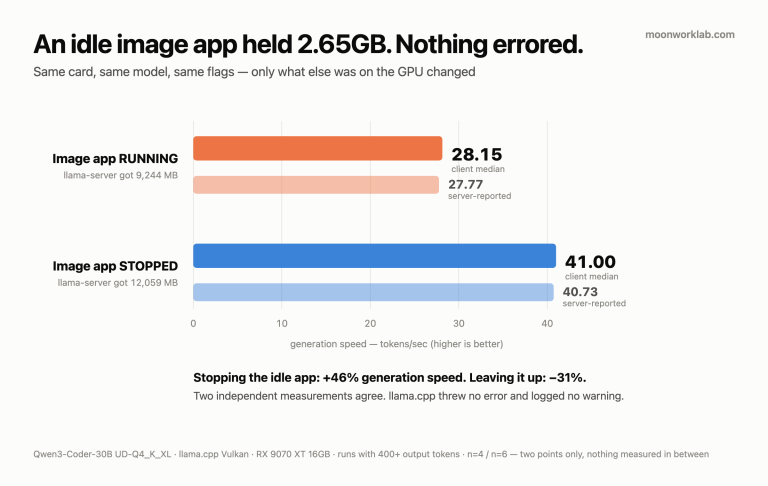
The cause is the NVIDIA driver on Windows. When VRAM runs short it doesn’t fail — it quietly spills into system RAM (shared GPU memory). Nothing crashes. It just gets slower.
Here’s why that’s a trap: you assume a setting is fine because nothing broke. And 18, 16, 14 and 12 all “work”. They’re also all far worse than 20. Without a crash, there’s nothing to tell you.
Practical takeaway: on NVIDIA + Windows with tight VRAM, “runs” and “runs well” are different questions. You have to measure. AMD is more honest here — when it can’t, it says so.
If you have a 24GB card you’ll never hit this. It only shows up when VRAM is tight.
So — should you upgrade?
Turning the data into a buying decision:
If you own a 2080 Ti (or a similar older NVIDIA card)
- Mostly feeding it long codebases to read? Don’t rush. Prompt processing is faster than on the current AMD card. Keep your money.
- Mostly generating long output? An upgrade is worth it — but the reason is the 11GB of VRAM, not the card’s age.
- Either way: a 2018 card runs a 2026-era 30B model at usable speed. That might be the biggest headline here.
If you’re buying new
- VRAM capacity first. Ahead of brand. The 16GB vs 11GB difference mattered more than seven years of architecture.
- That said, the CUDA ecosystem advantage is real and measurable, not marketing. 1.9× on prompt processing isn’t noise.
- At a fixed budget, an older card with more VRAM can beat a newer card with less for this workload.
Reproducing this
The whole command is:
llama-bench -m <model.gguf> -ngl 99 -ncmoe <N> -p 256 -n 64Vary <N>, build the table. The optimum differs per card, so find your own.
If you run this on your GPU, I’d like to see the numbers — especially if your VRAM is tight.
Related: both sweeps in this post, plus how to find the right
--n-cpu-moefor your own card, are laid out in the tuning guide.