Same Python, Same Command — One Launch Path Passed, the Other Hit WinError 4551
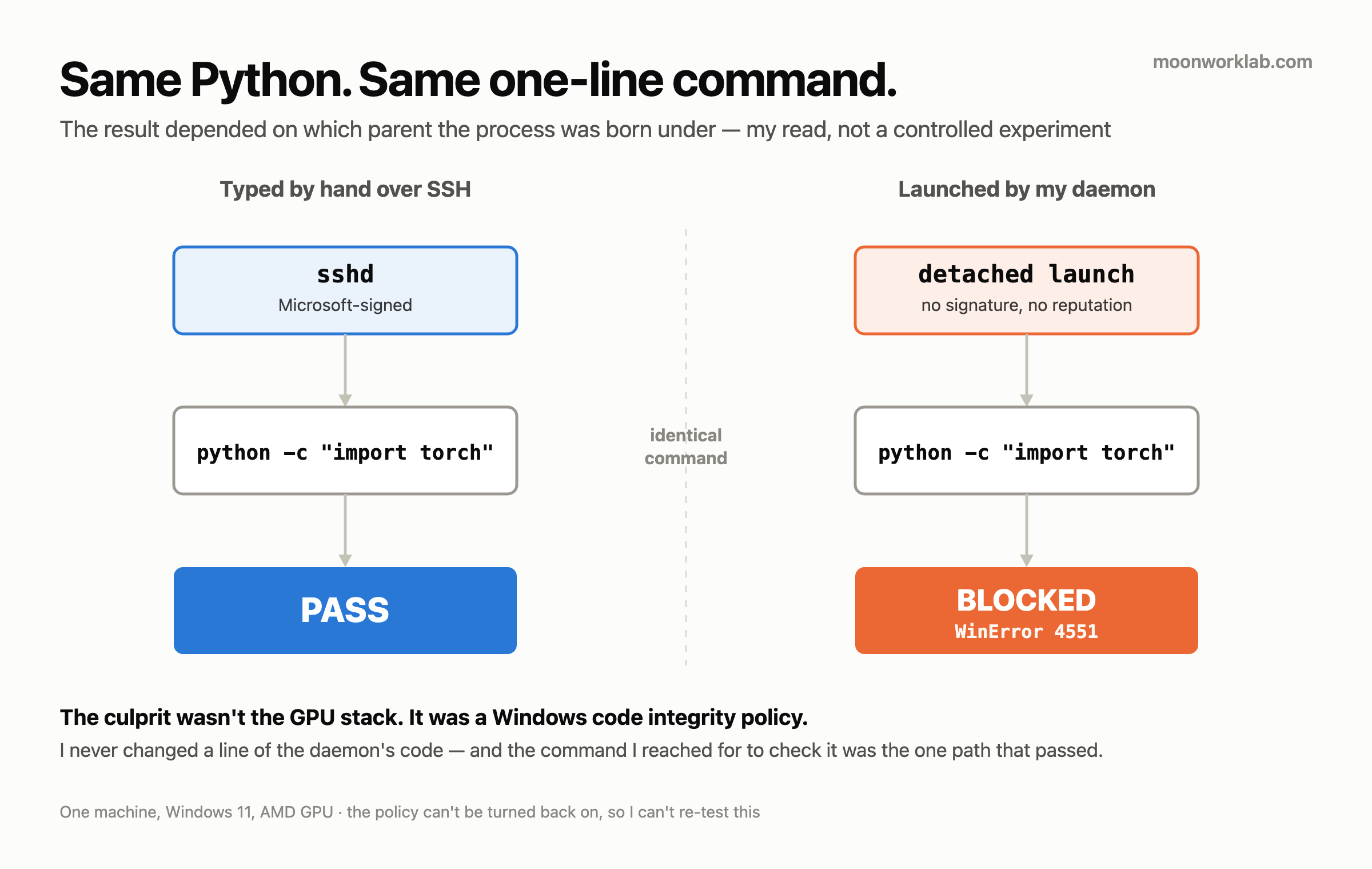
Same machine, same Python, same one-line command. The result depended on who launched that Python.
When I opened an SSH session by hand and typed python -c "import torch", it passed. When my daemon brought the GPU image server up on that machine automatically, the same import torch died like this:
OSError: [WinError 4551] ... application management policy ...What I wrote down that day was the code and that phrase. I never recorded the full sentence, so it isn’t reconstructed here.
By hand: pass. Automated: 4551. I hadn’t changed a single line of code between the two.
That symptom points at two places. Either the GPU stack was broken, or my daemon was. Neither of them was. The culprit was a Windows code integrity policy, and once that policy was off, the daemon came back to life without one line of its code changing.
Why the two paths ended differently is my read, and I can’t verify it now. The reason I can’t is in this post too.
The setup
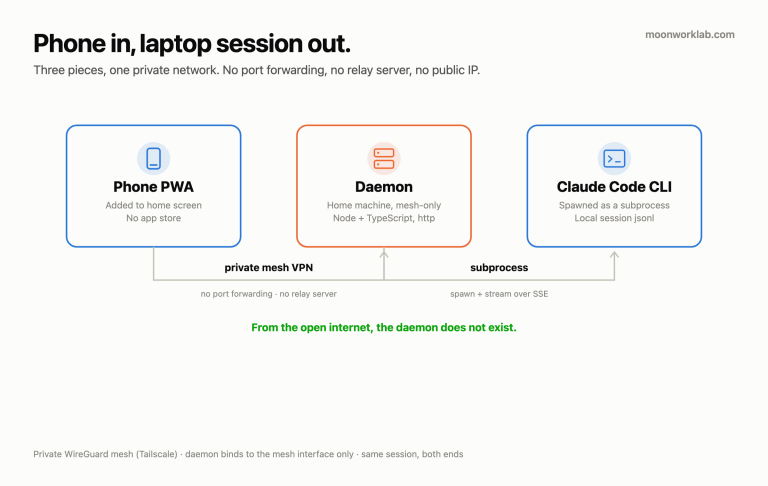
One machine: a Windows 11 desktop with an AMD GPU. A GPU image generation server runs on it against the ROCm stack. My daemon lives on a different machine and brings that server up remotely when it’s needed.
There’s something related I’ve already published here. In the first post on this site I avoided ROCm entirely and went with Vulkan, because RDNA4 support wasn’t mature yet. So when an error that smelled like GPU trouble turned up, my head had already picked its answer. ROCm, obviously.
It wasn’t. That’s the most expensive part of this post.
The error code came from the policy layer, not the GPU
The phrase attached to WinError 4551 is application management policy. The line that died is import torch, so the first thing my eye lands on is the GPU stack. Where the error printed and where the error was decided are two different places.
The culprit was Smart App Control. It’s a code integrity feature in Windows 11 and its job is simple: code with no signature and no reputation doesn’t get loaded. DLLs in the ROCm stack met that condition. The policy did exactly what it was designed to do. What was wrong was my guess.
There’s a relative of this in a threshold bug I hit in a different project. That one failed with no error at all. This one throws an error and names the wrong layer while doing it. The dead line says import torch, and that doesn’t make torch or the GPU runtime underneath it guilty.
So why did it work by hand — from here on it’s my read
This is the core of the post, and this is where my certainty drops a grade. One of the rules in the memory system I run says an error message doesn’t get promoted to a cause. So I’ll split this into two piles.
What I actually saw — three things.
- Typed by hand,
ssh <the box> "python -c 'import torch'"passed. - The same Python, launched by my daemon through WMI (
Win32_Process.Create), died with 4551. - After I turned Smart App Control off and rebooted, that same WMI launch worked with no change at all to the daemon’s code.
The interpretation I put on it — one thing. When Smart App Control looks at a process, it doesn’t only look at that executable. It looks at what parent the process was born under. sshd carries a Microsoft signature, and the Python born as its child passed. The process my daemon launched wasn’t a child of my SSH session, and it was blocked. That hypothesis explains all three observations, so I took it, and that’s what I wrote into my own infrastructure notes that day.
My daemon’s launch code uses WMI on purpose. I built it that way so a process starts remotely and survives the SSH session dropping. That design decision was precisely the blocking condition.
And this read has variables in it I never controlled. A process launched through WMI and a child of sshd differ by more than their parent. The session, the environment variables and the working directory were all different too. I never ran the experiment that pins the rest down and changes only the parent. The third observation doesn’t prove the tree either — that was the whole policy going off, not one tree being swapped. How trust is inherited down a process tree, I never read the code and never confirmed it in documentation. And now there’s no way left for me to check. The reason is in the next section.
One thing here is certain. The command I typed to check the problem was the only launch path that didn’t reproduce it.
The fix, and the part I can’t undo
Turning Smart App Control off is the fix. One registry value carries the code integrity policy, and it takes that value flipped to the off state plus a reboot. Before the reboot only the value has changed, and the policy is still alive.
The exact key and value aren’t written here. This is a post about why I suspected the wrong thing, not a post about how to switch off Smart App Control, and I don’t want an irreversible change sitting around as a one-line copy-paste. The Smart App Control entry in Microsoft’s own documentation has it. The warnings attached to it are worth reading in the same visit.
After the fix I changed nothing in the daemon’s code. The WMI launch that was already there simply worked.
Stop here for real. Once Smart App Control is off, it can’t be turned back on. Not until Windows is reinstalled. It isn’t a switch that flips back in the Settings app. I accepted that because the machine is a development box. On a general-purpose desktop, or on a machine somebody else uses, I wouldn’t have made this call.
So there’s no reproducible A/B in this post. If I could turn the policy on and off and cross-check the two launch paths, section three would be a measurement instead of a read. It was a one-shot experiment, and I spent that one shot fixing the problem.
One more thing. A fresh Windows install arrives with Smart App Control on. A reformat means this breaks again from scratch, so I nailed the item onto my “set this up again after a reformat” list. Whether that list actually works, I don’t know yet. I haven’t reformatted since turning the policy off.
Don’t do these — every one of them mine
- Don’t start reinstalling the stack the error printed inside. I suspected the GPU runtime, and the error came out of the policy layer. The sentence I left in my notes that day was “easy to misdiagnose as a ROCm reinstall.”
- Don’t conclude the runtime is healthy because a hand-typed command passed. Typing it by hand changes the launch path. Checking over SSH is checking as a child of sshd, and that isn’t the path automation uses.
- Don’t tear into the automation code first when the automation fails. My daemon’s launch code was correct from beginning to end. I changed nothing in it after the fix.
- Don’t accept “keep the workload pinned to an sshd session” as the answer. That workaround genuinely works. It also dies the moment SSH drops. A server I have to stay attached to isn’t a server.
- Don’t turn a security feature off before checking whether it comes back. I accepted it because the machine is development-only. That was the premise, and a different premise gives a different answer.
- Don’t leave this off the post-reformat list. A fresh Windows install comes with the policy on. I wrote it down. That’s all.
Honest limits — what this post can’t do
- One machine, one GPU vendor, one Windows. Whether the same asymmetry shows up in other combinations, I never checked. What happens on an Intel or NVIDIA stack, or on a different build, I don’t know.
- I never wrote down the Windows build number. What survives in my notes stops at Windows 11. Whether Smart App Control behaves identically across builds, I don’t know.
- There’s no record of how long this ate. What I left that day was symptom, cause, fix, and one line saying this wastes time if you don’t know about it. So no sentence in this post says how many hours went into it. An empty space beats a number I invented. What actually got billed wasn’t time — it was one system setting I can’t undo.
- How far I went in suspecting the GPU stack is one sentence in the record — “easy to misdiagnose as a ROCm reinstall.” Whether I got as far as an actual reinstall isn’t written anywhere. This post stops at “I suspected it” for the same reason.
- I never controlled the variables besides the parent process. Section three says it plainly. And with the policy unable to come back on, a controlled experiment is impossible now. That’s why section three is a read and not a measurement.
- Whether other detached launch paths hit the same block, I never experienced. My notes group WMI and
schtaskstogether as one family. The path where I actually saw 4551 is WMI, and that’s one path. - Whether a signed build would have passed with the policy still on, I don’t know. I never checked.
- I never looked at evaluation mode. The two states I lived in are enforce and off.
- What turning it off has cost me since, I still don’t know. I’ve run a machine with one code integrity defence removed for over a month. Nothing has gone wrong yet. Nothing going wrong is not proof that it’s safe.
Closing
What I actually learned here isn’t Smart App Control. It’s that the command I reach for to check a problem can be a launch path that doesn’t reproduce it.
When the hand-typed command passed, I concluded the runtime was fine. That command was never the path automation uses. Two launch paths gave different results that day, and I believed the one that passed.